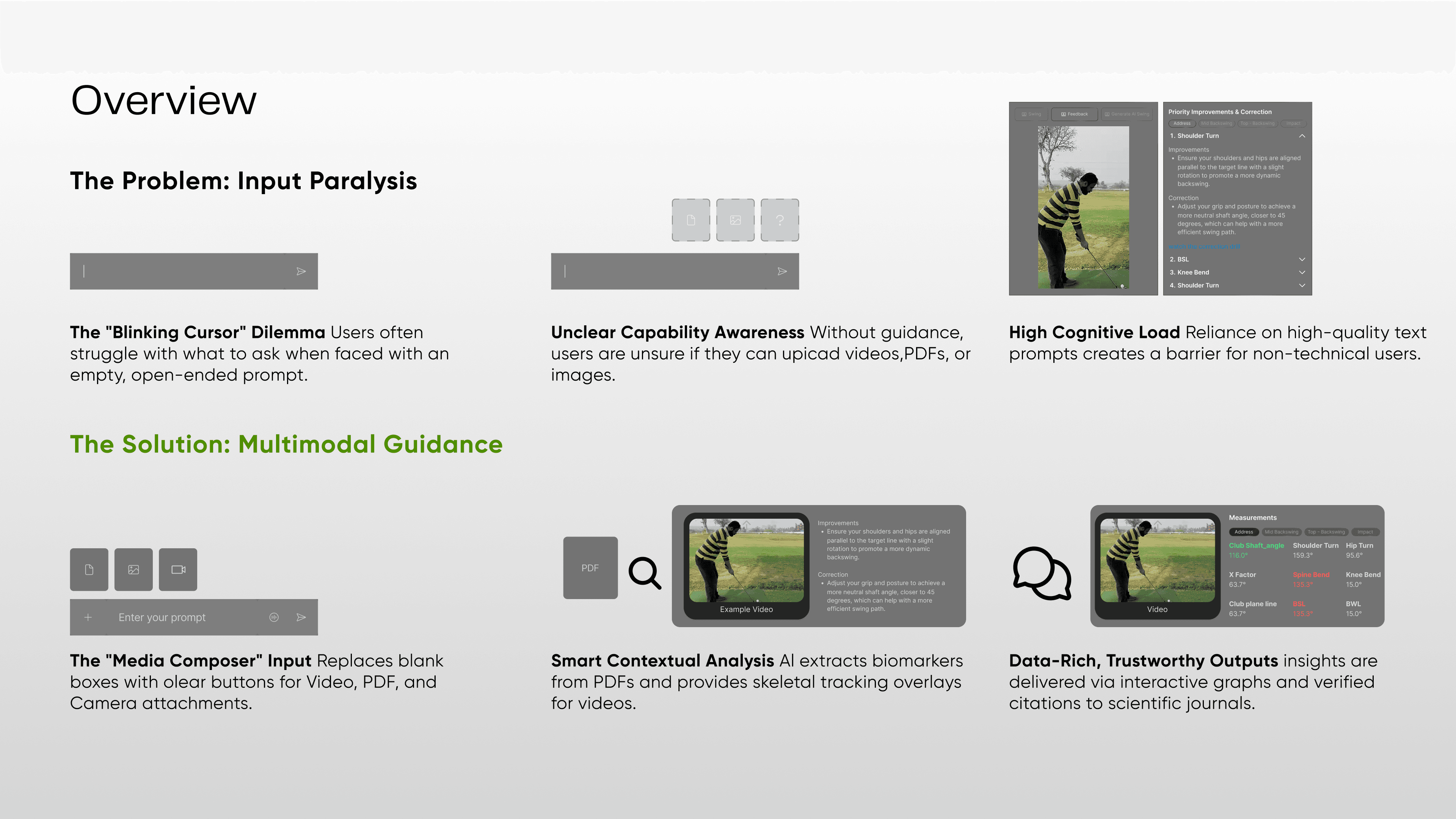


While generative AI is powerful, raw chat interfaces are often intimidating and unstructured for sports performance. Users didn't know what to ask, or that they could upload complex biomechanics data for analysis.
How might we translate complex multimodal AI capabilities (PDF, video, image analysis) into an intuitive conversational experience that feels both intelligent and human, without overpromising on accuracy?
(Concept to Beta Launch)
Team & Responsibilities
I directed the AI visual vision, managing the definition of novel interaction patterns and complex model responses
| Interaction paradigms for multimodal inputs, "Trust UI" strategy, and prompt-to-UI mapping. | |
| Visual design of chat widgets, empty states, and accessibility testing. | |
| Defining AI constraints and use cases (e.g., "Squat Analysis" vs. "General Fitness"). | |
| Implementing the LLM latency management and response streaming. |
The Challenge
The core challenge was Interaction Design for Ambiguity.
The "Blank Canvas" Paralysis:Users stared at a blinking cursor, unaware they could upload a 50-page bloodwork PDF or a video of their sprint technique.The Black Box Problem:How do we display AI reasoning? If the AI says "Your form is off," the user needs to know why to trust it.Multimodal Complexity:Designing a unified input field that elegantly handles text, heavy video files, and documents simultaneously.
The Impact
We successfully moved the user mental model from "Chatbot" to "Analyst".
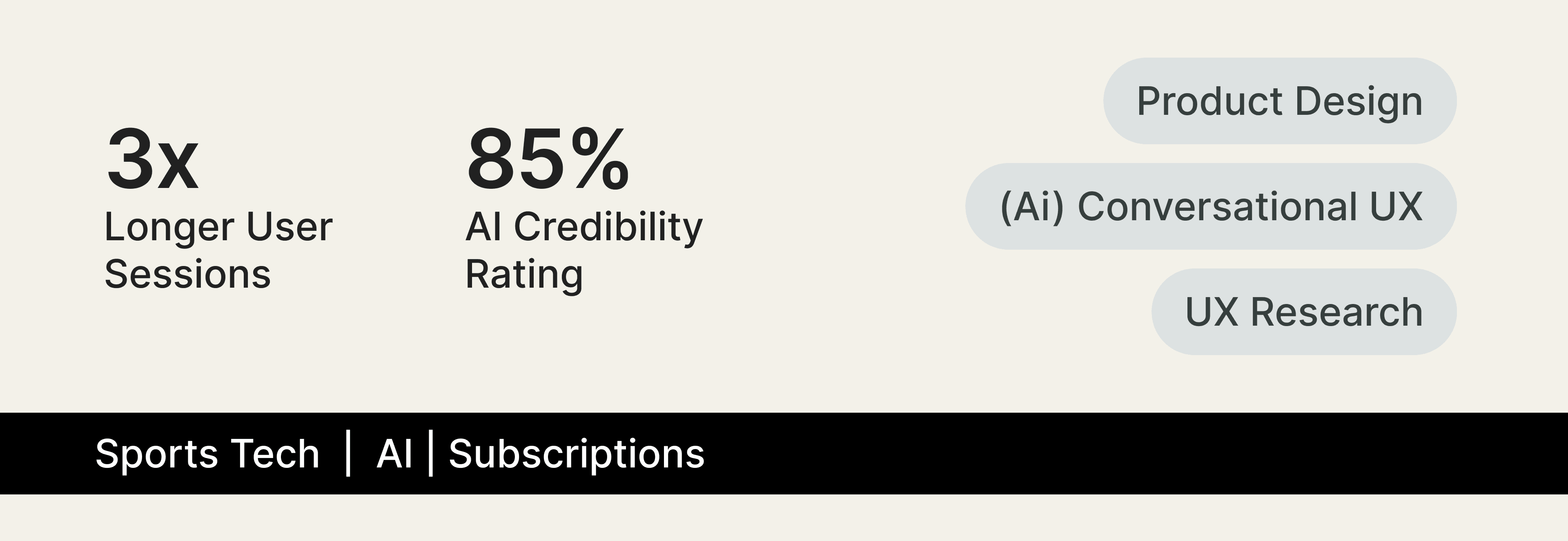
3x Feature Discovery:Use of non-text inputs (video/PDF) tripled after introducing the "Contextual Input Rail."Trust Score:85% of beta users rated the AI advice as "highly credible" due to the new citation interface.Reduced Hallucinations:By guiding user inputs via structured UI, we reduced vague prompts that typically lead to AI errors.
The Design Proces
Designing for Ambiguity: The "Suggested Actions" Layer
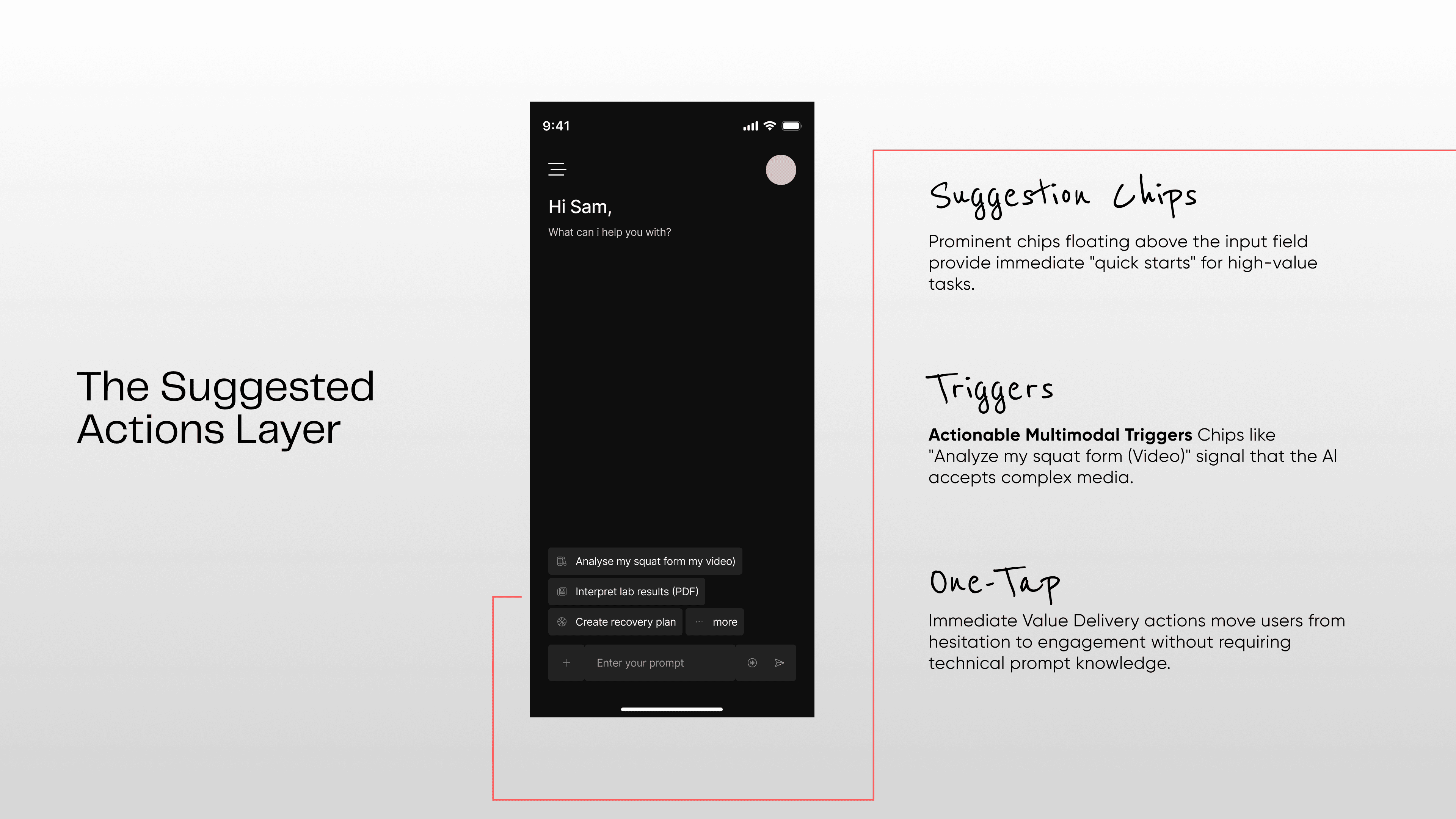
We realized that an empty chat box is bad UX for a specialized tool. I designed a dynamic suggestion engine that sits above the input field.
Context-Aware:If the user logs a run, the AI chat prompts: "Want me to analyse your split times?"Capabilities Showcase:Instead of a static "Help" page, the empty state cycles through "Power Prompts" like: "Upload your blood work PDF for a nutrient breakdown."
Input Clarity: The "Media-First" Composer
Standard chat inputs are text-heavy. We needed a "Command Center."
The "Drop Zone" Interaction:I designed the input field to visually expand when a user drags or add a file, changing state to indicate and select "Analysis Mode" or "Chat Mode."Visual Feedback:When a video is loading, we don't just show a progress bar. We show "Extracting Keyframes..." and "Analyzing Biomechanics..."to visualize the AI's "thinking" process, managing the wait time (latency) psychologically.

3. Output Visualization: Beyond Text Walls
A sports coach doesn't just speak; they show charts and point at videos. The AI needed to do the same.
Rich Widgets:I defined a design system for "Smart Responses." If the AI discusses heart rate, it renders a mini-graph within the chat bubble, not just text.Video Annotation:For technique analysis, the AI returns the user's video with a timestamped overlay (e.g., "At 0:04, your knee valgus collapses"), linking the text directly to the visual evidence.

4. Trust & Reliability: The "Citation" Pattern
To solve the hallucination fear, we treated the AI like a research assistant, not an oracle.
Footnotes:Every claim made by the AI (e.g., "Creatine improves explosive power") is hyperlinked to a verified sports science journal or the user's own uploaded data.
Confidence Levels:For ambiguous video analysis, we added a subtle UI tag: "Confidence: High" or "Experimental Analysis" to manage risk and expectations.
Key Takeaway
Trust is a design problem, not just an engineering problem. By exposing the "sources" of the AI's knowledge and visually tethering insights to user data (like video timestamps), we turned a generic chatbot into a verifiable expert coach.

Abi Arulraj
Designer
Loading weather data...
Available